
Table of Contents
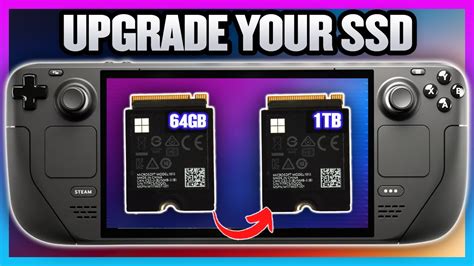
EXTERIORVIBE.BIZ.ID – The Valve Steam Deck 64GB model offers an accessible entry point into portable PC gaming, but its eMMC storage can quickly become a bottleneck. Upgrading your Steam Deck 64GB to an SSD is a popular and impactful modification that significantly boosts performance and storage capacity. This guide will walk you through why and how to undertake this rewarding DIY project.
Why Upgrade Your 64GB Steam Deck Storage?
The base 64GB Steam Deck utilizes eMMC (embedded MultiMediaCard) storage, which is considerably slower than an NVMe SSD. This slower storage directly impacts game loading times, system responsiveness, and the overall user experience. Moving to an SSD dramatically reduces these wait times, making your gaming sessions much smoother.
Beyond speed, the 64GB capacity is often insufficient for a modern game library. Many AAA titles can consume tens of gigabytes each, filling up the internal storage almost instantly. An SSD upgrade allows you to install a much larger drive, ranging from 256GB up to 2TB, providing ample space for numerous games.
Choosing the Right SSD for Your Steam Deck
When selecting an SSD for your Steam Deck 64GB upgrade, compatibility is key. You’ll need a 2230 M.2 NVMe SSD, which is a specific form factor that fits within the Steam Deck’s compact internal space. Ensure the drive you purchase explicitly states it’s a 2230 M.2 NVMe model to avoid compatibility issues.
While various brands offer 2230 SSDs, look for reputable manufacturers known for reliability and performance. Consider your budget and desired storage capacity, as larger drives will naturally cost more. Remember that the physical size (2230) is non-negotiable for a successful installation.
The Upgrade Process: What to Expect
Upgrading the Steam Deck’s internal storage is a relatively straightforward process for those comfortable with basic electronics work, though it requires patience and proper tools. You’ll need a small Phillips head screwdriver, a pry tool (plastic preferred to prevent scratches), and a new 2230 M.2 NVMe SSD. Before beginning, ensure you back up any important data or settings from your existing Steam Deck, as the process involves reinstalling the operating system.
The general steps involve carefully opening the Steam Deck’s back panel, disconnecting the battery, locating and removing the original 64GB eMMC module, and then installing your new SSD. After physical installation, you’ll need to create a bootable USB drive with the SteamOS recovery image to reinstall the operating system onto your new, larger drive. Detailed video tutorials are readily available online to guide you through each step safely.
Benefits After Your SSD Upgrade
Upon completing the upgrade and reinstalling SteamOS, you’ll immediately notice a significant improvement in your Steam Deck’s performance. Games will load much faster, navigating the SteamOS interface will feel snappier, and you’ll have vastly more room for your game library. This transformation turns the already capable 64GB Steam Deck into a truly robust portable gaming powerhouse, enhancing your enjoyment and reducing frustrating wait times.
Frequently Asked Questions (FAQ)
Is the Steam Deck SSD upgrade difficult for beginners?
While not excessively complex, the upgrade requires careful handling of small components and a basic comfort level with opening electronics. It’s recommended for users who have some DIY experience or are willing to follow a detailed video guide closely, as improper steps could damage the device.
Does upgrading the SSD void the Steam Deck’s warranty?
Valve generally states that users can open their Steam Deck, but any damage caused during the upgrade process is not covered under warranty. Proceed with caution and understand the risks involved before attempting the upgrade.
What size SSD should I get for my Steam Deck?
The ideal SSD size depends on your gaming habits and budget. Popular choices range from 512GB to 1TB, offering a substantial increase over the original 64GB. Some users opt for 2TB if they have very large game libraries and want maximum storage capacity.
Are there performance benefits beyond just more storage from an SSD upgrade?
Yes, absolutely. Upgrading from the original 64GB eMMC to an NVMe SSD dramatically improves read/write speeds. This translates directly to faster game loading times, quicker file transfers, and a more responsive SteamOS user interface, enhancing the overall user experience significantly.
Written by: David Thomas
