
Table of Contents
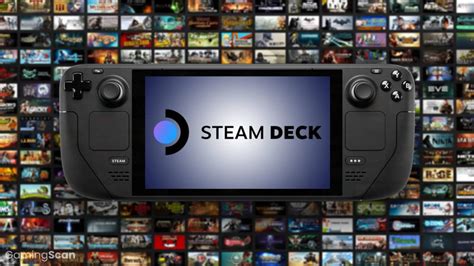
EXTERIORVIBE.BIZ.ID – The Steam Deck has revolutionized portable PC gaming, bringing a vast library of titles to players on the go. Discovering the best games for this powerful handheld device is key to maximizing your experience.
This guide will help you navigate the extensive Steam catalog, highlighting top recommendations and crucial compatibility information. We’ll ensure you find perfect games for your next portable adventure, from indie gems to AAA blockbusters.
Understanding Steam Deck Compatibility
Valve has implemented a clear compatibility rating system for games on the Steam Deck, categorizing them into four groups. These ratings help players easily identify how well a game will perform on the device without extensive research.
“Steam Deck Verified” games are fully functional and offer an excellent experience right out of the box, with all features working as expected. “Playable” titles might require minor manual tweaks, such as adjusting settings or using the touchscreen for specific inputs, but are generally enjoyable.
“Unsupported” games are unlikely to run well or at all, often due to anti-cheat software or specific hardware requirements. Lastly, “Unknown” indicates that Valve has not yet tested the game, leaving its performance open to community discovery.
Top Genres and Must-Play Titles
The Steam Deck excels with a wide variety of genres, offering something for every type of gamer. Many indie titles feel right at home on the handheld, providing engaging experiences perfectly suited for shorter play sessions.
Games like Hades, with its fast-paced action and roguelike mechanics, run flawlessly and look stunning on the Deck’s screen. Similarly, the cozy farming simulation of Stardew Valley offers endless hours of relaxation, making it an ideal portable companion.
Even demanding AAA games from previous generations and some modern titles perform remarkably well, often with minor graphic adjustments. Elden Ring provides an epic open-world adventure that is fully verified and surprisingly immersive on the go, showcasing the Deck’s capability.
Other notable AAA examples include Cyberpunk 2077, which can be enjoyed with optimized settings, and classic titles like Portal 2, which deliver a perfect portable experience. Exploring games from different eras vastly expands your potential library.
Finding Your Next Game and Leveraging Sales
Locating compatible games is straightforward within the Steam store, which features dedicated sections for Steam Deck Verified titles. You can easily filter searches to only show games that meet Valve’s highest compatibility standards, streamlining your browsing experience.
Always check community reviews and ProtonDB.com for user-reported compatibility and performance tips, especially for “Playable” or “Unknown” games. This collective knowledge often provides valuable insights into getting the best performance out of various titles.
Keep an eye out for Valve’s official Steam sales and game festivals, such as the seasonal events announced for 2026, which are perfect opportunities to expand your Steam Deck library affordably. These recurring events offer significant discounts on thousands of games, making it easier to discover new favorites.
Maximizing Your Portable Gaming Experience
To get the most out of your Steam Deck, experiment with in-game settings to balance visual fidelity with battery life. Often, a slight reduction in graphics quality can significantly extend your playtime without sacrificing much enjoyment.
Consider external accessories like power banks for longer sessions or a dock for connecting to a TV for a big-screen experience. The Steam Deck is a versatile device, capable of adapting to various gaming scenarios, making it more than just a handheld console.
In conclusion, the Steam Deck offers an incredible gateway to portable PC gaming, supported by an ever-growing list of compatible and optimized titles. With a little research and by utilizing Steam’s robust features, you can curate a fantastic gaming library for endless fun on the go.
Frequently Asked Questions (FAQ)
What does ‘Steam Deck Verified’ mean?
‘Steam Deck Verified’ means Valve has tested the game and confirmed it runs perfectly on the Steam Deck, with full controller support, native resolution, and no performance issues. It offers a seamless out-of-the-box experience.
Can I play non-Steam games on the Steam Deck?
Yes, the Steam Deck is essentially a portable PC running SteamOS (a Linux-based operating system), so you can install and play non-Steam games. This includes titles from other launchers like Epic Games Store or GOG, or even emulated games, though setup might require some technical knowledge.
How can I find games on sale for Steam Deck?
You can find games on sale for Steam Deck by regularly checking the Steam Store, especially during Valve’s major seasonal sales (e.g., Spring, Summer, Autumn, Winter Sales) and themed festivals. The Steam store often has dedicated sections or filters for ‘Great on Deck’ titles, which often include games currently on discount.
What are some common issues with ‘Unsupported’ games on Steam Deck?
Common issues for ‘Unsupported’ games often include problems with anti-cheat software preventing the game from launching, lack of controller support requiring complex custom keybinds, poor performance, or graphical glitches. Some games might not even launch at all, making them unplayable.
Does the Steam Deck support external controllers?
Yes, the Steam Deck supports a wide range of external controllers, both wired and wireless (via Bluetooth). This allows you to connect Xbox, PlayStation, Nintendo Switch Pro Controllers, or other PC gamepads for a more traditional console-like experience, especially when docked.
Written by: Isabella Lewis
