
Table of Contents
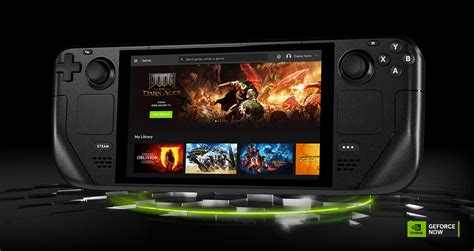
EXTERIORVIBE.BIZ.ID – The Steam Deck offers powerful portable gaming, but its native hardware has certain limitations with very demanding titles. Combining your Steam Deck with NVIDIA GeForce Now unlocks a vast library of PC games streamed from powerful cloud servers, significantly expanding your gaming options. This guide will explain how to set up and optimize this innovative cloud gaming experience on your handheld device.
Understanding Cloud Gaming with GeForce Now
GeForce Now is a prominent cloud gaming service that streams PC games directly to your device over an internet connection. This technology bypasses the need for local high-end hardware, allowing users to play demanding titles that might otherwise struggle or be unplayable on the Steam Deck’s integrated GPU. Essentially, a powerful remote PC runs the game, and you receive the video feed while sending your input commands.
Why Pair Steam Deck with GeForce Now?
This powerful combination offers significant advantages, extending your Steam Deck’s capabilities far beyond its native processing power. You gain access to a massive catalog of games you already own on PC, often running at much higher settings and frame rates than the Steam Deck could natively achieve. It provides a convenient solution for playing AAA titles on the go without sacrificing visual fidelity.
Accessing GeForce Now on Steam Deck
The primary and most straightforward method involves using a web browser, typically Microsoft Edge, configured within the Steam Deck’s Gaming Mode. This allows you to easily launch the GeForce Now web client as a non-Steam game, integrating it seamlessly into your Steam Library. Alternatively, advanced users familiar with Linux environments can explore installing a dedicated GeForce Now Linux client for a more deeply integrated experience.
Simplified Browser Setup Steps
First, switch to Desktop Mode on your Steam Deck and install Microsoft Edge via the Discover Software Center. Next, add Edge as a non-Steam game to your Steam Library, specifying launch options that automatically open the GeForce Now website. This creates a quick and effortless launch process directly from your familiar Steam interface.
Optimizing Your Cloud Gaming Experience
A stable and fast internet connection is absolutely crucial for a smooth and enjoyable GeForce Now experience. Ideally, utilize a wired Ethernet connection through a USB-C hub or ensure you have a robust, low-latency Wi-Fi 6 network to minimize input lag and ensure high-quality streams. Additionally, adjusting in-game graphics settings within the GeForce Now client itself can help balance visual fidelity and network performance, preventing stuttering or resolution drops.
Benefits of This Gaming Synergy
Enjoy significantly higher frame rates and superior graphical settings for even the most graphically intensive titles without needing to upgrade your Steam Deck’s internal components. This powerful setup opens up a vast world of PC gaming that might have previously been out of reach due to hardware limitations. You can also effortlessly play non-Steam games or titles from other launchers like Epic Games Store and GOG that are supported by the GeForce Now service.
Potential Drawbacks to Consider
Cloud gaming, by its nature, is heavily dependent on your internet connection; any instability or high latency can lead to noticeable input lag or reduced visual quality. There’s also a subscription cost for premium GeForce Now tiers, which offer longer session times and access to more powerful GPUs. Furthermore, the smaller screen of the Steam Deck can sometimes make intricate PC game interfaces challenging to read or navigate.
Is Steam Deck + GeForce Now Right For You?
If you possess a reliable and fast internet connection and are eager to expand your Steam Deck’s gaming horizons, GeForce Now presents an excellent and highly accessible solution. It effectively transforms your portable device into a gateway for high-fidelity PC gaming on the go, leveraging NVIDIA’s powerful cloud infrastructure. Consider your existing game library, internet capabilities, and subscription preferences to decide if this innovative combination is the right fit for your gaming needs.
Integrating NVIDIA GeForce Now with your Steam Deck offers a compelling and versatile way to experience a much broader range of PC games with enhanced visual fidelity. By following a few simple setup steps, you can unlock the full potential of a powerful cloud gaming machine right in your hands. Embrace the future of portable, high-performance gaming with this potent and innovative combination.
Written by: William Clark
