
Table of Contents
EXTERIORVIBE.BIZ.ID – The Steam Deck offers a fantastic portable PC gaming experience, and understanding its display resolution is key to maximizing both visuals and performance. This unique handheld console blends powerful hardware with a custom operating system to deliver an immersive gaming experience, whether you’re playing on the go or docked to a larger screen.
Getting the most out of your Steam Deck involves knowing how its screen resolution works and how to optimize settings for different games and scenarios. Mastering these aspects ensures smooth gameplay and sharp graphics across your favorite titles.
The Steam Deck’s Native Screen Resolution
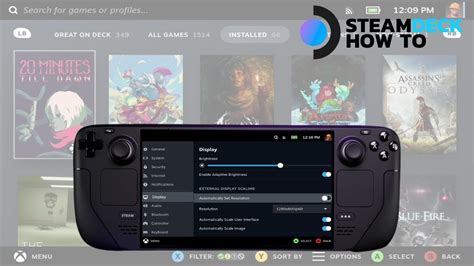
The Steam Deck features a 7-inch LCD touchscreen with a native resolution of 1280×800 pixels. This resolution, often referred to as 800p, strikes an excellent balance between visual clarity on a compact display and the computational demands for running modern games.
The device’s 16:10 aspect ratio provides a slightly taller image compared to standard 16:9 displays, offering a bit more vertical screen real estate in many titles. This native resolution is the baseline for how games are ideally rendered on the handheld itself.
Balancing Performance and Visual Fidelity
Running games at the native 1280×800 resolution generally provides the best visual fidelity without excessive strain on the Steam Deck’s integrated AMD APU. Higher resolutions, even for external displays, require significantly more processing power, which can lead to lower frame rates and increased battery drain.
Conversely, intentionally dropping the rendering resolution below native can significantly improve game performance but will result in a less sharp image due to scaling artifacts. Therefore, finding the right balance is crucial for an enjoyable gaming session.
Leveraging FSR (FidelityFX Super Resolution)
Valve has integrated AMD’s FidelityFX Super Resolution (FSR) technology, a crucial tool for optimizing games on the Steam Deck. FSR allows games to render internally at a lower resolution (e.g., 960×600) and then intelligently upscale the image to the display’s native 1280×800 resolution.
This process significantly boosts frame rates while maintaining reasonable visual quality, making it particularly beneficial for graphically demanding titles that struggle to hit desired performance targets at native resolution. FSR is a game-changer for extending the playable library of the Steam Deck.
External Display Considerations and Resolutions
When docking your Steam Deck to an external monitor or TV, it can output resolutions much higher than its native screen, including 1080p, 1440p, and even 4K. While the Steam Deck can technically output these resolutions, rendering games natively at such high pixel counts is extremely taxing on the hardware.
Attempting to run graphically intensive games at 4K resolution on an external display will almost always result in unplayable frame rates, even for older titles. For the best experience on external displays, users often utilize FSR to upscale from a lower internal rendering resolution, or stick to less demanding games.
Optimizing Your Gaming Experience with Resolution Settings
To get the most out of your Steam Deck, it’s often recommended to stick to the native 1280×800 resolution for handheld play and leverage FSR for performance gains when needed. This approach ensures the sharpest possible image on the device’s built-in screen without overtaxing the system.
For docked play, consider targeting 1080p with FSR enabled for a good balance of clarity and performance, or adjust settings based on the specific game and your desired frame rate. Experimenting with in-game graphics settings alongside resolution is also vital for finding your optimal setup and enjoying a consistently smooth experience.
Frequently Asked Questions (FAQ)
What is the native resolution of the Steam Deck’s screen?
The Steam Deck features a 7-inch LCD display with a native resolution of 1280×800 pixels, often referred to as 800p. This is its ideal resolution for handheld gaming.
Can the Steam Deck output higher resolutions to an external monitor?
Yes, the Steam Deck can output to external monitors and TVs at resolutions like 1080p, 1440p, and even 4K. However, running games natively at these higher resolutions will significantly impact performance due to the increased demand on the GPU.
What is FSR and how does it relate to Steam Deck resolution?
FSR (FidelityFX Super Resolution) is an upscaling technology by AMD that allows games to render at a lower internal resolution and then intelligently upscale to the display’s native resolution. This significantly boosts frame rates without a drastic loss in visual quality, making it crucial for improving performance on the Steam Deck for demanding games.
How does changing resolution affect battery life on the Steam Deck?
Running games at higher resolutions or constantly rendering demanding visuals requires more processing power from the Steam Deck’s APU. This directly leads to increased power consumption and therefore shorter battery life. Lowering the resolution or using FSR can help conserve battery.
Is it always best to run games at the native 1280×800 resolution on the Steam Deck?
For the best visual clarity on the handheld screen, yes, native 1280×800 is ideal. However, for graphically demanding games where a higher frame rate is paramount, lowering the internal rendering resolution and using FSR can provide a smoother gameplay experience while maintaining acceptable visuals.
Written by: Sarah Davis
