
Table of Contents
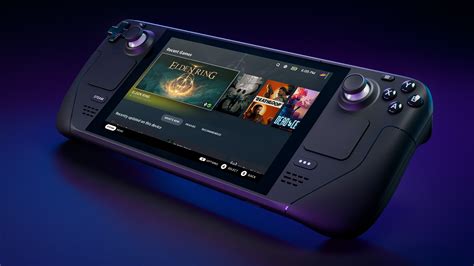
EXTERIORVIBE.BIZ.ID – The Steam Deck revolutionized portable PC gaming by offering a powerful handheld device with versatile control options. Among its most innovative features are the dual haptic trackpads, providing a level of precision and flexibility rarely seen in handheld consoles. These trackpads are crucial for games not traditionally designed for controllers, ensuring a smooth and immersive experience across a vast Steam library.
Understanding the Steam Deck’s trackpads begins with recognizing their unique design and functionality. Unlike standard laptop touchpads, these are high-resolution, pressure-sensitive surfaces equipped with advanced haptic feedback. This haptic technology allows the trackpads to simulate the feel of physical clicks or even the texture of a mouse wheel, significantly enhancing tactile response during gameplay.
The Power of Precision: How Trackpads Elevate Gaming
The primary advantage of the Steam Deck trackpads lies in their ability to offer mouse-like precision on a portable device. This is particularly beneficial for genres such as first-person shooters (FPS), real-time strategy (RTS), and point-and-click adventures, where fine cursor control is essential. Players can achieve accurate aiming and swift menu navigation, which would be challenging with joysticks alone.
Beyond gaming, the trackpads are invaluable for navigating the Steam Deck’s desktop mode, effectively replacing a traditional mouse. This allows users to browse the web, manage files, or interact with non-Steam applications with ease. The integration of haptic feedback further solidifies their utility, providing satisfying physical cues for every interaction.
Customization: Tailoring Your Trackpad Experience
One of the Steam Deck trackpad’s most powerful aspects is its deep customization through the Steam Input system. This robust tool allows users to remap trackpad functions, adjust sensitivity curves, and fine-tune dead zones to suit their individual playstyle and game requirements. You can transform a trackpad into a precise mouse, a scrolling wheel, or even a set of virtual buttons.
Experimenting with different settings is highly encouraged to unlock the full potential of your trackpads. Users can create unique control profiles for specific games, sharing them with the community or downloading configurations from others. This flexibility ensures that every game, regardless of its native controller support, can be adapted for an optimal Steam Deck experience.
Tips for Mastering Your Steam Deck Trackpads
To truly master the Steam Deck trackpads, dedicated practice and exploration of settings are key. Start by adjusting the sensitivity to find a comfortable balance between speed and accuracy for various game types. Combining trackpad input with the Steam Deck’s gyroscope can further enhance aiming precision, especially in demanding FPS titles.
Utilizing community-created control layouts can also provide excellent starting points for popular games. Don’t be afraid to tweak existing profiles or build your own from scratch, iteratively refining them based on your in-game performance. With patience and customization, the Steam Deck trackpads will become an intuitive extension of your gaming prowess.
In conclusion, the Steam Deck trackpads are far more than simple input devices; they are a cornerstone of its versatile gaming ecosystem. Their combination of precision, haptic feedback, and extensive customization options empowers players to enjoy a vast library of PC games in a handheld format. Mastering these unique controls will significantly enhance your overall Steam Deck experience, opening new possibilities for portable play.
Frequently Asked Questions (FAQ)
What are the Steam Deck trackpads primarily used for?
The Steam Deck trackpads are primarily used for mouse-like precision control in games, especially beneficial for genres like FPS and RTS, and for navigating the desktop mode. They offer an alternative to traditional joystick input.
Can I customize the functionality of the Steam Deck trackpads?
Yes, the Steam Deck trackpads are highly customizable through the Steam Input system. You can adjust sensitivity, dead zones, assign different functions (mouse, scroll wheel, joystick), and create game-specific control profiles.
How do haptic trackpads on the Steam Deck differ from standard laptop touchpads?
Steam Deck’s haptic trackpads provide tactile feedback, simulating physical clicks or textures, which standard laptop touchpads typically lack. This haptic response enhances immersion and provides clearer physical cues during interaction.
Are the trackpads useful for all types of games on the Steam Deck?
While most beneficial for games requiring precise cursor control (like FPS, RTS, point-and-click), the trackpads can be configured for almost any game. Their versatility means they can augment or replace joystick input as needed, though some games may still be better with joysticks.
How can I improve my aiming precision using the Steam Deck trackpads in games?
To improve aiming precision, experiment with trackpad sensitivity settings, utilize the Steam Deck’s gyroscope for fine adjustments, and consider downloading or creating custom control layouts. Practice and iterative refinement of your settings are key to mastery.
Written by: David Thomas
