
Table of Contents
EXTERIORVIBE.BIZ.ID – The Steam Deck has revolutionized portable PC gaming, offering a powerful handheld experience for a vast library of titles. Many gamers are eager to know how to play beloved Nintendo classics, particularly The Legend of Zelda series, on their Steam Deck device.
While Nintendo’s Zelda games are exclusive to their consoles, the Steam Deck’s open nature allows for advanced emulation, bringing these legendary adventures to a new portable platform. This guide will walk you through the essential steps and considerations for enjoying your favorite Zelda titles on the go.
Understanding Emulation on Steam Deck
Emulation is the process where one computer system, like the Steam Deck, imitates another system, such as a Nintendo console, to run its software. This capability transforms your Steam Deck into a versatile machine capable of playing games from various generations and platforms.
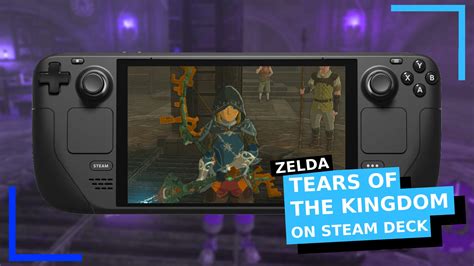
For Zelda games, this typically involves emulating Nintendo consoles like the Wii U or Nintendo Switch, which host popular entries such as Breath of the Wild and Tears of the Kingdom. Specialized software is required to achieve this, making the process accessible to most users.
Setting Up Your Steam Deck for Zelda Emulation
The most user-friendly approach to setting up emulation on your Steam Deck is by using a comprehensive tool called EmuDeck. EmuDeck simplifies the installation of multiple emulators and manages their configurations, making it a one-stop solution for retro gaming.
Once EmuDeck is installed, you will need to acquire game ROMs (Read-Only Memory) and BIOS files, which are digital copies of the game cartridges and console system files. It is crucial to understand that downloading copyrighted ROMs for games you do not own is illegal, so always ensure you possess the original games.
Performance and Gaming Experience
Playing Zelda games like Breath of the Wild or Tears of the Kingdom on the Steam Deck through emulation offers a surprisingly robust experience. Modern emulators have come a long way, providing stable framerates and graphical fidelity that often rivals the original console.
However, performance can vary depending on the specific Zelda title, the emulator used, and your Steam Deck’s settings; tweaking various options often leads to a smoother gameplay. The Steam Deck’s ergonomic controls and vibrant screen make it an excellent platform for these immersive open-world adventures, providing a truly portable and engaging experience.
Maximizing Your Zelda Adventure
To enhance your Zelda experience, consider customizing controller layouts through Steam Input to match your preferred playstyle. Additionally, explore community-created shader caches and performance guides for specific Zelda titles to optimize visual quality and frame rates.
Regularly updating EmuDeck and your chosen emulators will also ensure you benefit from the latest performance improvements and compatibility fixes. With a little setup, your Steam Deck can become an unparalleled device for revisiting the timeless world of Hyrule and beyond.
Frequently Asked Questions (FAQ)
Is it legal to play Zelda games on Steam Deck?
While the Steam Deck itself is a legal device, the legality of playing Zelda games hinges on how you acquire the game ROMs. Downloading copyrighted ROMs for games you do not own is generally illegal. It is legally permissible if you create a backup copy of a game you legitimately own.
What is the best way to emulate Zelda on Steam Deck?
The most recommended and user-friendly method is to use EmuDeck. EmuDeck is an all-in-one script that simplifies the installation and configuration of various emulators, including those needed for Nintendo consoles, streamlining the process significantly.
Which Zelda games can I play on Steam Deck?
With the right emulators, you can play a wide range of Zelda titles, from older classics on NES, SNES, and N64 to newer, more demanding titles from the Wii U (like Breath of the Wild) and even the Nintendo Switch (like Tears of the Kingdom), although performance may vary for the latest titles.
How is the performance of Zelda games on Steam Deck emulation?
Performance is generally very good, especially for older Zelda titles. Even modern games like Breath of the Wild can run well with proper emulator configuration and community-made optimizations, often achieving stable framerates and good visual quality, making for a highly enjoyable portable experience.
Written by: James Wilson
