
Table of Contents
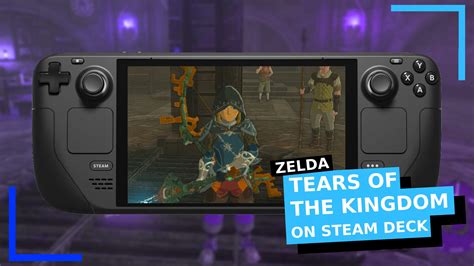
EXTERIORVIBE.BIZ.ID – The Steam Deck, Valve’s powerful handheld gaming PC, has revolutionized how players enjoy their extensive PC game libraries on the go. While primarily designed for Steam titles, its open-source nature sparks curiosity about playing games from other platforms, including Nintendo Switch exclusives like The Legend of Zelda: Tears of the Kingdom.
This article explores the feasibility and considerations of bringing Hyrule’s latest adventure to your Steam Deck. We will delve into the technical aspects and user experience of this unofficial gaming method.
Understanding Steam Deck and Tears of the Kingdom
The Steam Deck operates as a portable PC, running a Linux-based operating system designed for flexibility. It boasts impressive hardware for its size, capable of handling demanding PC games with varying graphics settings.
The Legend of Zelda: Tears of the Kingdom, on the other hand, is a highly anticipated and critically acclaimed Nintendo Switch exclusive. It pushes the Switch’s hardware capabilities, offering a vast open world and innovative gameplay mechanics.
The Unofficial Path: Emulation
Since Tears of the Kingdom is a Nintendo Switch exclusive, it is not natively available on the Steam Deck or any PC platform. Playing it on the Steam Deck requires the use of a Nintendo Switch emulator, such as Yuzu or Ryujinx.
Emulation involves specialized software that mimics the hardware environment of another system, allowing its games to run. This method is generally supported by the Steam Deck’s robust hardware and flexible software environment.
Performance Expectations and Setup
Achieving a playable experience for Tears of the Kingdom on the Steam Deck via emulation is indeed possible, but it comes with caveats. Performance can vary significantly based on the emulator version, system updates, and specific game settings.
Many users report being able to run the game at stable frame rates, often around 30 frames per second (fps), with occasional dips in demanding areas. Initial setup typically involves installing an emulator, acquiring game files, and configuring various settings for optimal performance.
Tools like EmuDeck can simplify the process, providing an all-in-one solution for emulator management and game organization. Users will also need to source necessary firmware and decryption keys, which are critical for the emulator to function correctly.
Optimizing Your Experience
To maximize your enjoyment, several optimization steps are highly recommended for playing Tears of the Kingdom on the Steam Deck. Utilizing shader caches is crucial, as they prevent stuttering by pre-compiling graphical elements.
Adjusting in-game and emulator-specific graphics settings can also significantly impact frame rates and visual fidelity. Experimenting with resolution scaling and filtering options will help balance performance with image quality.
Community-made mods and patches can further enhance performance or fix specific graphical glitches. Keeping your Steam Deck’s operating system and chosen emulator updated is also vital for benefiting from the latest performance improvements.
User Experience and Considerations
While playing Tears of the Kingdom on the Steam Deck offers the appeal of portable play, it’s an unofficial method with potential challenges. Battery life may be shorter compared to native Steam Deck games due to the higher demands of emulation.
Controls are generally excellent, as the Steam Deck’s built-in gamepad is highly customizable and compatible with emulators. However, users should be aware of the legal and ethical implications of emulation, particularly regarding game ownership and obtaining game ROMs.
Overall, with some technical know-how and patience, the Steam Deck provides an impressive platform for experiencing The Legend of Zelda: Tears of the Kingdom in a portable format. It showcases the versatility of Valve’s handheld, extending its capabilities far beyond its primary design.
Written by: Robert Miller
