
Table of Contents
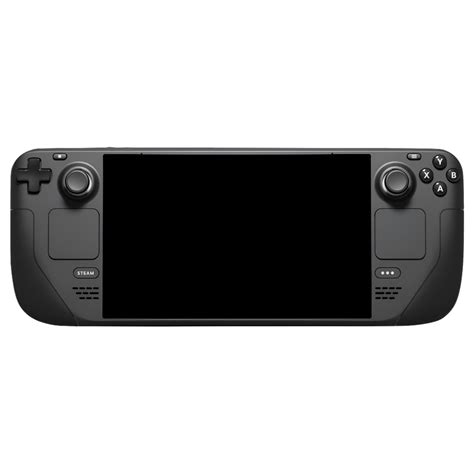
EXTERIORVIBE.BIZ.ID – The Steam Deck, Valve’s innovative handheld gaming PC, offers an exciting way to play your Steam library on the go. Among its various configurations, the Steam Deck 64GB model stands out as the most affordable entry point for many gamers. This version provides the full Steam Deck experience at a lower cost, making PC gaming more accessible.
This base model is equipped with 64GB of eMMC (embedded MultiMediaCard) storage, which is a key differentiator from its pricier siblings. While eMMC is slower than the NVMe SSDs found in higher-tier models, it helps keep the initial price down. Understanding this storage type is crucial for potential buyers.
Understanding the 64GB eMMC Storage
The 64GB Steam Deck utilizes eMMC storage, a type of flash memory commonly found in mobile devices and budget laptops. This storage solution offers adequate performance for the operating system and smaller games. However, users should be aware that load times for larger, more graphically intensive titles might be noticeably longer compared to NVMe SSDs.
Shader compilation, a common background process for many modern games, can also take longer on eMMC storage. Despite this, the core gaming performance (CPU and GPU) remains identical across all Steam Deck models. The processing power is not bottlenecked by the storage for in-game framerates.
Expanding Your Storage: The MicroSD Solution
One of the most significant features mitigating the 64GB model’s internal storage limitation is its built-in microSD card slot. This slot allows users to easily and affordably expand their game library. High-speed microSD cards can offer performance competitive with, or even surpassing, the internal eMMC storage.
Many gamers choose to install larger, demanding titles on a fast microSD card, reserving the internal 64GB for the operating system and smaller indie games. This strategy makes the 64GB Steam Deck a highly viable option for budget-conscious users. Always opt for a high-speed U3 or A2 rated microSD card for the best experience.
Who Is the 64GB Steam Deck For?
The 64GB Steam Deck is ideal for several types of players. It’s perfect for budget-minded gamers who want to experience the Steam Deck without the upfront cost of premium models. Furthermore, it suits those who primarily play indie games, older titles, or smaller modern games that don’t demand vast storage space.
This model is also an excellent choice for users planning to perform an internal SSD upgrade themselves. The lower initial cost effectively subsidizes the purchase of a new, larger NVMe SSD, offering a custom solution for advanced users. Ultimately, with a good microSD card, the 64GB model provides exceptional value.
Is the 64GB Steam Deck Worth It?
Considering its significantly lower price point and the flexible storage expansion via microSD, the Steam Deck 64GB is absolutely worth it for the right user. It delivers the same powerful processing capabilities as its more expensive counterparts, ensuring a consistent gaming experience. The initial savings can be invested in high-quality accessories or a large microSD card to maximize its potential.
Frequently Asked Questions (FAQ)
What is the main difference between the 64GB Steam Deck and other models?
The primary difference is the internal storage type and capacity. The 64GB model uses slower eMMC storage, whereas higher-tier models feature faster NVMe SSDs (256GB, 512GB, or 1TB). All models share the same powerful CPU and GPU for gaming performance.
Can I upgrade the storage on the 64GB Steam Deck?
Yes, you can significantly expand the storage. The most common method is by using a high-speed microSD card, which simply plugs into the dedicated slot. Advanced users can also internally replace the eMMC module with a larger 2230 NVMe SSD, though this requires technical skill.
Is the 64GB storage enough for modern games?
For most modern AAA games, 64GB is insufficient as games often exceed this size. However, the internal storage is perfectly fine for the operating system and smaller indie titles. For larger games, you will definitely need a high-capacity, fast microSD card.
Does the 64GB model perform worse in games compared to other Steam Decks?
No, the 64GB model has the exact same CPU and GPU as all other Steam Deck versions, so in-game performance (frame rates) will be identical. The only difference related to storage is slower loading times for games and potentially longer shader compilation on the eMMC drive.
What kind of microSD card should I get for the 64GB Steam Deck?
For the best experience, it’s recommended to use a high-speed microSD card with at least a U3 speed class and an A2 application performance class. These cards offer faster read and write speeds, significantly improving game load times and overall performance compared to slower cards.
Written by: Sarah Davis
