
Table of Contents
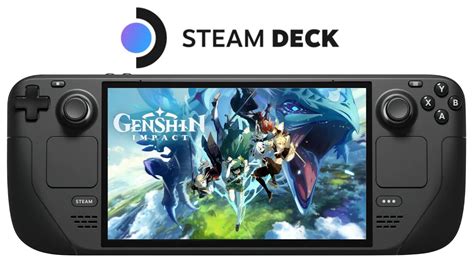
EXTERIORVIBE.BIZ.ID – Many gamers wonder if the popular action RPG, Genshin Impact, is playable on Valve’s portable powerhouse, the Steam Deck. This is a common question for fans hoping to enjoy their favorite gacha title on the go.
Unfortunately, Genshin Impact is not officially supported on the Steam Deck, primarily due to compatibility issues with its anti-cheat system. HoYoverse, the game’s developer, has not yet optimized the game to run seamlessly with Proton, Steam Deck’s compatibility layer for Windows games on Linux.
Understanding the Anti-Cheat Hurdle
The core reason for Genshin Impact’s incompatibility lies with its custom anti-cheat software. This system is designed to run specifically within a Windows environment and often flags any non-standard configurations, like those found on Linux-based systems using Proton, as suspicious.
Such anti-cheat measures are crucial for maintaining fair play in online games but pose significant challenges for alternative operating systems. Valve and HoYoverse would need to collaborate to ensure the anti-cheat system functions correctly and safely on Proton without triggering bans.
Unofficial Methods: What Are the Options?
Despite the lack of official support, some dedicated users have explored unofficial workarounds to get Genshin Impact running. The most common and reliable method involves installing Windows directly onto the Steam Deck.
By dual-booting or replacing SteamOS with Windows, players can run Genshin Impact as they would on any other PC. This method bypasses the Proton compatibility layer entirely, allowing the anti-cheat to function within its intended environment.
Another less popular option involves using Android emulators on SteamOS, but this often results in poor performance and a suboptimal gaming experience. While Valve continues to announce extensive plans for the Steam platform, including its 2026 sales and festival schedule, the focus for Steam Deck users often revolves around game compatibility and exploring these unofficial avenues.
Risks and Considerations for Unofficial Play
It is important to understand that playing Genshin Impact through unofficial methods carries inherent risks. HoYoverse’s terms of service generally discourage modifying game files or using unsupported operating environments.
While reports of bans due to playing on Windows on Steam Deck are rare, there’s always a theoretical risk associated with circumventing official compatibility. Furthermore, installing Windows adds complexity and can take up significant storage space on your device.
Performance and User Experience
If you successfully install Windows and get Genshin Impact running, the Steam Deck is generally capable of delivering a decent gameplay experience. You can expect playable frame rates, though you might need to adjust graphics settings to optimize performance.
The Steam Deck’s integrated controls provide a comfortable way to play, offering a console-like experience for the popular title. However, remember that any unofficial method might require more technical troubleshooting and won’t benefit from Valve’s official Steam Deck Verified program.
The Future of Genshin Impact on Steam Deck
Many fans hope that HoYoverse will eventually provide official support for Genshin Impact on Steam Deck, perhaps by optimizing its anti-cheat for Proton. Until then, players must rely on unofficial methods with their associated risks.
For now, enjoying Genshin Impact on Valve’s portable handheld remains a technical endeavor rather than a straightforward plug-and-play experience. Staying updated on community developments and official announcements is advisable for interested players.
Frequently Asked Questions (FAQ)
Is Genshin Impact officially supported on Steam Deck?
No, Genshin Impact is not officially supported on the Steam Deck by HoYoverse. This is primarily due to compatibility issues with its anti-cheat system in Linux-based environments like SteamOS.
Why isn’t Genshin Impact officially supported on Steam Deck?
The main reason is the game’s custom anti-cheat software, which is specifically designed for Windows. It struggles with or actively blocks non-standard configurations found when running through Proton on SteamOS.
What are the methods to play Genshin Impact on Steam Deck unofficially?
The most reliable unofficial method is to install Windows directly onto the Steam Deck, either as a dual-boot setup or by replacing SteamOS. Less effective options include using Android emulators.
Is it safe to play Genshin Impact on Steam Deck using unofficial methods?
While many users report success without issues, unofficial methods carry inherent risks. HoYoverse’s terms of service generally discourage unsupported configurations, leading to a theoretical, albeit rare, risk of account issues.
What is Proton in the context of Steam Deck?
Proton is a compatibility layer developed by Valve that allows Windows games to run on Linux-based operating systems like SteamOS. It translates Windows API calls into Linux equivalents, enabling a wider range of games to be played on the Steam Deck.
Written by: Robert Miller
