
Table of Contents
EXTERIORVIBE.BIZ.ID – The Steam Deck has revolutionized portable PC gaming, bringing countless titles to a handheld format. For fans of competitive multiplayer online battle arenas (MOBAs), a common question arises: can you effectively play Dota 2 on the Steam Deck?
The answer is a resounding yes, although it comes with unique considerations for this demanding title. Valve, the creator of both the Steam Deck and Dota 2, ensures a baseline level of compatibility, even as they announce future platform events like the 2026 sales schedule, showcasing their continuous commitment to the Steam ecosystem.
Performance and Graphics on the Go
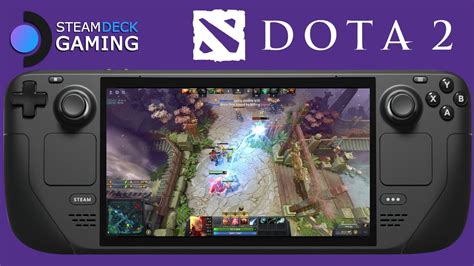
Dota 2 runs surprisingly well on the Steam Deck, offering a smooth experience for most players. While you won’t be pushing ultra-high settings, the game typically maintains a stable 60 frames per second (FPS) on medium to high settings. This allows for fluid gameplay, which is crucial for a fast-paced MOBA where split-second decisions matter.
Adjusting graphical settings is key to optimizing performance and battery life on the device. Experimenting with render quality, shadow details, and texture quality can help find the perfect balance for your preferred experience. The Steam Deck’s 7-inch screen also means that slightly lower graphical fidelity is less noticeable than on a large monitor.
Mastering Controls: The Steam Deck Advantage
One of the biggest hurdles for playing Dota 2 on a handheld is adapting from keyboard and mouse controls. The Steam Deck, however, offers a highly customizable solution with its trackpads, joysticks, and numerous buttons. Many community-created controller layouts are available, or you can craft your own personalized configuration.
Utilizing the right trackpad for precise cursor control and the left trackpad for camera movement are common strategies. Mapping abilities, item activations, and hotkeys to the various face buttons, shoulder buttons, and back paddles allows for quick access. This deep customization is essential for making Dota 2 playable and enjoyable without a traditional setup.
The Portable MOBA Experience
Playing Dota 2 on the Steam Deck offers unparalleled portability, allowing you to jump into matches almost anywhere. Whether you’re on a commute, lounging at home, or traveling, your favorite heroes are always within reach. However, a stable internet connection remains vital for online competitive play.
While the smaller screen and unconventional controls present a learning curve, the convenience factor is significant. For casual games, bot matches, or even ranked play for experienced users, the Steam Deck provides a unique way to enjoy Dota 2. It opens up new possibilities for how and where you engage with this complex title.
Tips for Optimal Gameplay
To maximize your Dota 2 experience on the Steam Deck, consider a few key tips. Spend time in the control customization menu to find a layout that feels natural and efficient for your playstyle. Regularly check community configurations for new ideas and improvements.
Additionally, keeping your Steam Deck software updated and utilizing a dock for an external monitor, keyboard, and mouse can provide a more traditional desktop experience when available. While it might not replace your main PC for serious competitive play, the Steam Deck makes Dota 2 a truly portable reality.
Frequently Asked Questions (FAQ)
Can the Steam Deck run Dota 2 smoothly?
Yes, the Steam Deck can run Dota 2 smoothly, typically achieving a stable 60 FPS on medium to high graphical settings. Adjusting specific in-game settings can further optimize performance and battery life.
How do you control Dota 2 on the Steam Deck without a keyboard and mouse?
Dota 2 on the Steam Deck is controlled using its built-in joysticks, trackpads, and buttons. The trackpads are often used for cursor and camera control, while abilities and items are mapped to the various physical buttons and customizable back paddles. Many community-created control layouts are available, and users can create their own.
Is it difficult to play Dota 2 competitively on Steam Deck?
Playing Dota 2 competitively on Steam Deck presents a significant learning curve due to adapting from traditional keyboard and mouse controls. While it’s possible for experienced players to achieve proficiency, it generally requires more effort and adaptation compared to a standard PC setup.
What are the best settings for Dota 2 on Steam Deck?
Optimal settings for Dota 2 on Steam Deck usually involve a balance between performance and visual quality. Start with medium to high settings for most options and then fine-tune render quality, shadow details, and texture quality to maintain a consistent 60 FPS. Prioritizing frame rate over graphical fidelity is often recommended for competitive play.
Written by: James Wilson
